Showing posts with label tips. Show all posts

Saturday, August 12, 2017

iOS 11 Beta 4 almost bricked my iPhone 7

As usual, I have installed the beta version of the next iOS version on my iPhone 7.

As I was controlling my Apple TV 4 with my phone, using the shortcut in the Control Center, I had to enter a code ID for buying a movie on the iTunes Store.

All was going well, as usual, until the iTunes Store asked me to enter my 3 digit number from my credit card to confirm the transaction.  So I left to get my credit card and it took a few minutes.  Meanwhile, my iPhone 7 went into sleep mode as it was waiting for the keyboard input for the Apple TV...

When I came back, I unlocked my iPhone, as usual but the screen was all blurry and nothing was reacting to the touch events.  I pressed the Sleep button and it was the end.


The iPhone was completely unresponsive.  I tried to reboot it, call it with another phone, pressed several times on the button but nothing was happening and the screen stayed black,

Ultimately, I used the VoluneDown+Sleep buttons, pressed for a good 10 seconds and the device finally rebooted.

If you're stuck on your iPhone 7, the VolumeDown+Sleep buttons will save the day!

Note: The bug has been reported to Apple.

Tuesday, June 21, 2016

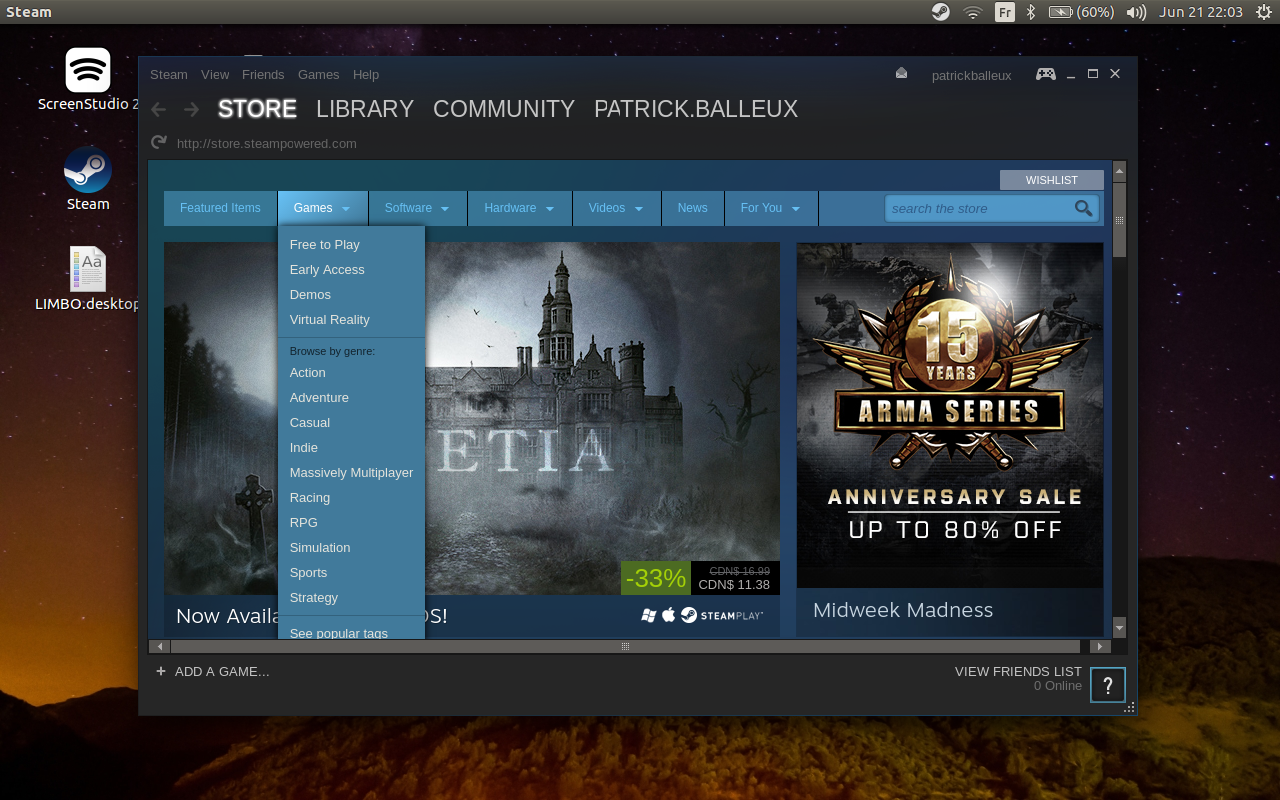
Running Steam on Ubuntu 16.04 (amd64)

If you try to install the Steam app to access great games on Ubuntu 16.04, you will find that it does not work out-of-the-box.


After searching the web for a few tips and tricks, I finally managed to make it run.


  • Install the i386 architecture (sudo apt-get install libc6:i386)
  • Install the default debian package from the Steam website (http://store.steampowered.com/about/)
  • Create a small script to launch Steam

Steam.sh
LD_PRELOAD='/usr/$LIB/libstdc++.so.6' DISPLAY=:0 steam
  • Make the script executable: chmod +x Steam.sh
  • Execute your script
It's sad that we need to apply this workaround until the Steam team does provide a better package, but it does work.


Sunday, October 4, 2015

Another scam to get your Apple ID

Today, my girlfriend received an email from "Apple" about validating her identity.  The email do look amazingly legit and was referring to a recent change on her Apple account.

We were sceptical and I made this simple check before going any further.  To ensure that the email is coming from Apple, just press and hold the sender address on your iPad/iPhone.  The real email address will show up.

Again, with links contained in the email, just press and hold until the URLs will be shown by your device.  As you can see in this screen capture, the sender is definitely not Apple.


Monday, September 14, 2015

iPhone overheating: Here's a fix!

A few days ago, I installed the latest iOS 9.1 public beta on my iPhone 6.  It's a bit risky, I admit but I like it.

My iPad 4 and iPhone 6 both got iOS 9.0 (public beta) a few weeks ago and everything worked without any problems.  When iOS 9.1 public beta came out, I was eager to try it out and discover what was new.

Overall, nothing much compared to the prior version 9.0 beside a major issue with my iPhone 6:  Overheating issues!

On the first night, I plugged in my iPhone as usual and in the morning, discovered that it was warm.  Usually, the iPhone is cold as ice, even after having spent the night on its USB charger (the stock one from Apple).  So I rebooted the device, assuming it was a glitch...

Later on that day, I found out that the battery was draining really fast.  Usually, the battery will last easily 2 days on a single charge but I have kept the old habit on charging it when going to bed.  On a normal day, the battery level will drop to 75% at most.  But after iOS 9.1, the battery level was already at 40% only a few hours after disconnecting from its charger.

Again, I rebooted the device, re-check all settings, closed all apps from the app switcher...  I tried everything and I was considering reverting to IOS 8.4 until the official 9.0 comes out.

On the second day, after a second full-night charge, the iPhone was still warm and the battery level was at 45%.  A real nightmare was at the door...

Again, I reviewed everything, all settings, rebooted many times with no luck.  The battery level was dropping fast at a rate of 1%, each 2 minutes...

So I tried something different.

First, I activated the "Low Power Mode" and switch back to the "Normal mode" in the general settings (available on iOS 9.x only).

Then, I deleted the Apple Beta Certificated from the General Settings expecting an "update" reverting me to the official iOS 8.4.  Nothing happened actually so I decided to re-install the Apple Beta Certificate to get the next iOS 9.1.x public beta version just in case.  I was willing to wait another full day, preparing a full recovery to iOS 8.4 if the problem would still show up.

It's been 24 hours since then and the overheating issue seems to be resolved.  I don't know if flipping the "Low Power 'ode" did the trick or simply re-installing the certificate for the public beta did the job but something got fixed along the way.

One thing is sure, rebooting the device did not fix anything as I had already rebooted many times.  For now, I can assume that one of those two operations fixed the overheating problem on my iPhone 6.

As a side note, nothing happened on the iPad 4, still working like a charm with iOS 9.1 public beta.

Did you fix your overheating problem with this tip? Let me know.


Sunday, March 15, 2015

PHP: Lower the Entry Process for your website

If you have a website that is using PHP on the server side, you may be struggling with the Entry Process reaching the top limit of your web host.

What is an Entry Process?  Basically, it means that a process is launched on your web server host each time a page is requested.  If you have a lot of traffic, this means that at some point, you may reach the Entry Process Limits imposed by your web host and your visitor will get a message that too many resources are being used.

This is really annoying but there is not much that you can do about it if you are hosting static html page.  On the other hand, this issue can be triggered by your dynamic web pages and can be improved by tweaking the rendered code to be faster.


If you are using PHP, as a lot of web developers are doing, you may have a webpage that does look like this:
<?php $title = "Crombz.com - The best website!";?>
<html>
<head>
<title><?php echo $title; ?></title>
</head>
<body>
   Hello, this is my webpage and the title is <?php echo $title; ?>
</body>
</html>
This is a regular case where you will embed in the HTML code some part of PHP code.  It does work nicely but has a major drawback:  The page will be rendered a bit slower than a pure HTML page.

Since a PHP webpage takes a bit more time to be served by your host, you do increase the chance of  reaching the Entry Process Limits if you have a lot of traffic.  Assuming that you are limited to 10 Entry Processes at the same time, if the time to render your PHP page takes 0.2 seconds, you will have a maximum of 5 visitors being able to view your page at the same time.

I have struggled this week with this issue on my website Crombz.com.   After reviewing the code, I realized that PHP had to parse a mix of HTML and PHP to be able to render the page properly.  After some experimenting and tweaking, I modified my code like this:

<?php
    $title = "Crombz.com - The best website!";
?>

<html>
<head>

<?php
    echo '<title>'.$title.'</title>';
?>

</head>
<body>

<?php
   echo 'Hello, this is my webpage and the title is .$title;
?>

</body>
</html>
I made sure that a single line was either a pure HTML code or a pure PHP code...  It has lowered the rendering time so much that even with 30 visitors, I am not reaching the Entry Process Limit of my web host.

Of course, your code will be a bit more complex but the benefits are that you will lower the chance of reaching the Entry Process Limits even with a high traffic.

I haven't tested rendering a webpage in pure PHP, but it would probably be faster than having mixed lines of HTML and PHP.

Happy coding!


Saturday, February 7, 2015

Ubuntu Phone: Try it!

Did you know that you can try the new Ubuntu Phone on your Ubuntu computer?

Install the package "ubuntu-emulator" and you should be able to have a preview of the new kid in town.  In this video, I am showing how to install the emulator and where to follow the instructions.


I was able to make it run on my laptop, but had a few issues, probably related to my hardware.  Overall, I still could get a good idea of what to expect from the Ubuntu Phone.  I'm really looking forward for this new device when it comes to North America.

Have you tried it?  How was your experience?