Showing posts with label games. Show all posts

Sunday, January 27, 2019

Ubuntu and Candy Crush games

I was able to install Ubuntu 18.10 on my small Lenovo MIIX 300 tablet.  It work well beside that Ubuntu seems to freeze from time to time.

Compared to Android, iOS or Windows, the "Ubuntu Tablet" is missing major features like games.

Games currently available from the Ubuntu Store are old and often broken.  They are not suited to the touch interface and thus require a physical keyboard or a game pad.

While browsing on the internet for a solution, I've found out that King.com does make their mobile games available in your browser using the Flash plugin.  Since Chrome does support Flash internally,  I've loaded their games and tried them out. 


I does work really well with the touch interface so I can start wasting time on my "Ubuntu tablet" as I can on Android and iOS.

Here's the link for the games: https://king.com/games.

Wednesday, September 13, 2017

Looking for Java Apps and Games

There is one thing missing on the web:  A Java App Library (or App Store).

As I am testing the next release of WRoom, I want to create an app library built for WRoom.  The task seemed easy until I realized that googling for Java apps and games is not that easy.

Results returned by Google are about tests, demos and game libraries.  I did found a few gems here and there.  So I decided to ask the web to send me links to great apps and games built in Java/JavaFX.

What I need:
  • Name of the app/game
  • A brief description (1 or 2 lines)
  • An image/logo link
  • Others images, screen captures, links to YouTube videos of your apps, tips, other links related

A main virtual room will be created to list the apps and a smaller room will be available, dedicated at your app/game.

Here's a short demo that I am currently working on:


Wanna help with WRoom?  Talk about it and build your own virtual space.  See the main website for downloads and documentation 


Friday, August 18, 2017

What's new in WRoom 0.0.10?

If you did not know, I have been working on a new open source project called WRoom in the last few months.  It's a big technical experiment but it has a lot of potential at the same time.

Basically, WRoom is a new web browser where you navigate virtual rooms create using a simple text file.  It's easier than HTML/Javascript and you can create maps all over the web, linked together with Teleporters.

I have released a new version today: 0.0.10 ALPHA.  In this new version, I have integrated Texture videos and a bunch of new stuff.  Currently, the Windows version works pretty well and it kind-of work on Linux, at least on my Ubuntu Mate laptop.

Here's a demo of the latest version:


The main features of WRoom:
  • 3D Browsing à la Doom FPS game
  • Supports textures (PNG, JPG) 
  • New Video Textures using FFMPEG
  • Embedded chat room, (Simple avatars are showing other visitors) 
  • Triggered actions: Teleport, play sound, open door
  • Animated textures using multiple image files
  • Easy to create your own using a simple text editor
  • Free as in Open Source

WRoom is a new twist on creating communities online without having to learn HTML and Javascript.  A map editor is on the way to make things easier.  Maps are hosted on any web hosting plan such as Mochahost or your own web server.

Here's a simple map example:

# Set the title for the room
title=Planet Mars
# irc server
chatroom=#wroommars
server=irc.freenode.net
port=6667
# Load the textures
texture=wall03.png
texture=wall01.jpg
texture=wall03.png
floor=floor.png
ceiling=ceiling.jpg
#Load background sound file
#backgroundsound=background011.wav
# Set the map
# 15x10
map=1,1,1,1,1,1,1,1,1,1,1,1,1,1,1,1,1,1,1,1,1,1,1,1,1,1,1,1,1,1,1,1,1,1,1,1,1,1,1,1,1,1,1,1,1
map=1,0,3,3,3,3,3,3,3,3,0,0,0,0,3,3,0,0,3,3,3,3,3,3,3,3,3,3,3,3,3,3,0,0,0,3,3,3,3,3,3,3,3,3,1
map=1,0,0,0,0,0,3,0,0,3,0,3,3,3,3,3,0,3,3,0,0,0,0,0,0,0,0,0,0,0,0,3,0,3,0,3,0,0,0,0,0,0,0,0,1
map=1,3,0,3,3,0,3,0,3,0,0,0,0,0,0,0,0,3,3,0,3,3,3,3,3,3,3,3,3,3,0,0,0,3,0,3,0,3,3,3,3,3,3,0,1
map=1,3,0,3,3,0,3,0,3,0,3,3,0,3,0,3,3,3,3,0,3,3,0,3,0,0,0,0,0,3,0,3,3,3,0,3,0,3,0,0,0,0,3,0,1
map=1,3,0,0,3,0,3,0,3,0,3,3,0,3,0,0,0,0,0,0,3,3,0,3,0,3,3,3,0,3,0,3,0,0,0,3,3,3,0,3,3,0,3,0,1
map=1,3,3,3,3,0,3,0,3,0,3,3,3,3,3,3,3,3,3,3,3,3,0,0,0,3,3,3,3,3,0,3,0,3,3,0,0,0,0,3,3,0,3,0,1
map=1,3,0,0,0,0,3,0,3,0,0,0,3,3,3,3,3,0,0,0,0,3,3,3,0,3,3,0,0,0,0,3,0,3,3,0,3,3,3,3,3,0,3,0,1
map=1,3,0,3,3,3,0,0,3,3,3,0,3,3,3,3,0,0,3,3,0,3,0,0,0,0,3,3,0,3,0,3,0,3,3,0,0,0,0,0,3,0,3,0,1
map=1,3,0,3,3,3,0,3,3,3,3,0,3,3,3,3,0,3,3,3,0,3,0,3,3,0,3,3,3,3,0,3,0,3,3,0,3,3,3,0,3,0,0,0,1
map=1,3,0,0,0,0,0,0,0,0,0,0,3,3,0,0,0,3,0,0,0,3,0,3,0,0,0,0,0,0,0,3,3,3,3,0,3,0,3,0,3,3,0,3,1
map=1,3,3,3,3,3,0,3,3,0,3,3,0,0,0,3,3,3,0,3,3,3,0,3,0,3,3,0,3,3,3,3,0,0,0,0,3,0,3,0,3,3,0,3,1
map=1,3,0,0,0,0,0,3,3,3,3,3,0,3,0,3,0,3,0,0,0,0,0,3,0,3,3,3,3,3,3,3,0,3,3,0,3,0,3,0,3,0,0,3,1
map=1,3,0,3,0,3,0,0,0,0,3,0,0,3,0,0,0,3,3,3,3,3,0,3,3,3,0,0,0,0,0,3,0,3,0,0,3,0,3,0,3,3,0,3,1
map=1,3,0,3,3,3,3,3,3,0,3,3,3,3,3,3,3,3,3,3,3,3,0,3,3,3,0,3,3,3,0,3,0,3,0,3,3,0,3,0,0,3,3,3,1
map=1,3,0,3,0,3,3,0,3,0,3,0,3,0,0,0,0,0,0,0,0,0,0,3,3,3,0,3,0,3,0,3,0,3,0,3,3,0,0,3,0,0,0,3,1
map=1,3,0,3,0,3,0,0,0,0,3,0,3,0,3,3,3,3,3,3,3,3,3,3,3,3,0,3,0,3,0,3,0,3,0,0,0,0,0,3,0,3,0,3,1
map=1,3,0,3,0,0,0,3,3,3,3,0,3,0,3,0,0,0,0,0,0,0,0,0,0,0,0,3,0,3,0,0,0,3,3,3,3,0,3,3,0,3,0,0,1
map=1,3,0,3,3,3,0,3,0,0,0,0,3,0,3,0,3,3,3,3,3,3,3,0,3,3,3,3,0,3,3,3,3,3,3,3,3,3,3,3,0,3,3,0,1
map=1,3,0,3,3,3,0,3,3,3,0,3,3,0,3,0,3,0,0,0,0,0,0,0,3,0,3,0,0,3,3,0,3,0,0,0,0,0,0,0,0,3,3,0,1
map=1,3,0,3,3,3,0,3,0,0,0,0,0,0,3,0,3,0,3,3,3,3,3,3,3,0,3,0,3,3,0,0,3,0,3,3,0,3,3,3,3,3,3,3,1
map=1,3,0,0,0,3,0,3,0,3,3,3,3,3,3,0,3,0,3,0,3,3,3,3,3,0,0,0,0,0,0,3,3,3,3,3,0,3,3,0,0,0,3,3,1
map=1,3,3,3,0,3,0,3,0,3,0,0,0,0,0,0,3,0,3,0,0,0,0,0,3,3,3,0,3,3,0,0,0,0,0,0,0,3,3,0,3,0,3,3,1
map=1,3,0,3,0,3,0,3,0,3,3,3,3,3,3,3,3,0,3,0,3,3,3,0,3,0,3,0,3,3,3,3,3,3,3,3,3,3,3,0,3,0,0,0,1
map=1,3,0,3,0,3,0,3,0,3,3,0,0,0,0,0,0,0,3,3,3,0,3,0,3,0,3,0,3,3,0,0,0,0,3,3,0,3,3,0,3,0,3,0,1
map=1,3,0,3,0,3,0,0,0,3,0,0,3,0,3,3,3,3,3,0,3,0,0,0,0,0,0,0,3,3,0,3,3,0,0,0,0,0,0,0,3,0,3,0,1
map=1,3,0,0,0,3,3,3,3,3,3,0,3,0,3,3,0,0,3,0,3,0,3,0,3,3,3,3,3,3,0,3,0,3,3,3,3,3,3,3,3,0,3,0,1
map=1,3,0,3,0,0,0,0,0,0,0,0,3,0,3,3,3,0,0,0,3,0,3,3,3,3,3,0,0,0,0,3,0,3,3,0,0,0,0,3,3,0,0,3,1
map=1,3,0,3,3,3,3,3,3,3,3,3,3,0,0,0,0,0,3,0,3,0,0,0,0,0,0,0,3,3,3,3,0,3,3,0,3,3,0,3,3,3,0,0,1
map=1,3,0,0,0,0,0,0,0,3,3,0,0,0,3,3,3,3,3,0,3,3,3,3,3,3,3,3,3,3,3,3,0,0,0,0,3,3,0,0,0,3,0,0,1
map=1,1,1,1,1,1,1,1,1,1,1,1,1,1,1,1,1,1,1,1,1,1,1,1,1,1,1,1,1,1,1,1,1,1,1,1,1,1,1,1,1,1,1,1,1
#Set the starting point
start=1,1
# Define the actions
# Actions are: teleport, sound, message, download
# After the action command, enter the location of the action x,y
# Then the parameter
# action=teleport,x,y,URL
# action=sound,x,y,sound.wav
# action=message,x,y,Message string...
# Actions are triggered by pressing the action key: space bar...
action=teleport,43,29,http://wroom.crombz.com/,Congrats! Back to homebase
# Load text to display on walls
# TEXT=x,y,HTML text entry... 
text=1,3,<div style='border:solid red 3px;background-color:#441111;color:#FF0000;font-size:12px;text-align:center;'>Welcome to Mars!<br>Can you find your wayback to WRoom homebase?<br>Good luck!</div>

Hope you like WRoom!

Visit the homepage at http://wroom.crombz.com

Tuesday, June 21, 2016

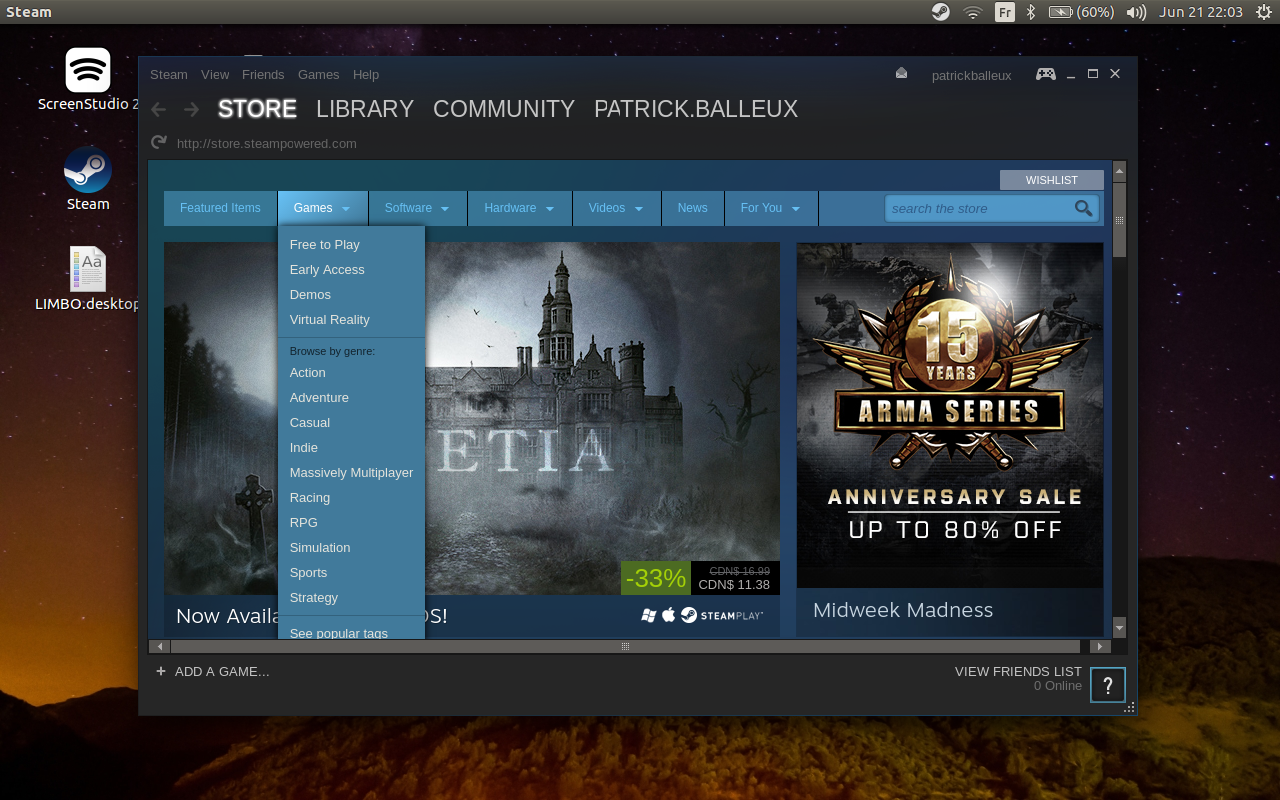
Running Steam on Ubuntu 16.04 (amd64)

If you try to install the Steam app to access great games on Ubuntu 16.04, you will find that it does not work out-of-the-box.


After searching the web for a few tips and tricks, I finally managed to make it run.


  • Install the i386 architecture (sudo apt-get install libc6:i386)
  • Install the default debian package from the Steam website (http://store.steampowered.com/about/)
  • Create a small script to launch Steam

Steam.sh
LD_PRELOAD='/usr/$LIB/libstdc++.so.6' DISPLAY=:0 steam
  • Make the script executable: chmod +x Steam.sh
  • Execute your script
It's sad that we need to apply this workaround until the Steam team does provide a better package, but it does work.